At EvolutionMu, the new Master Mix system allows you to add or remove exclusive combinations of Excellent options on your Evolution equipment, as well as enhance your Level 3 Wings through an interactive and automated interface.
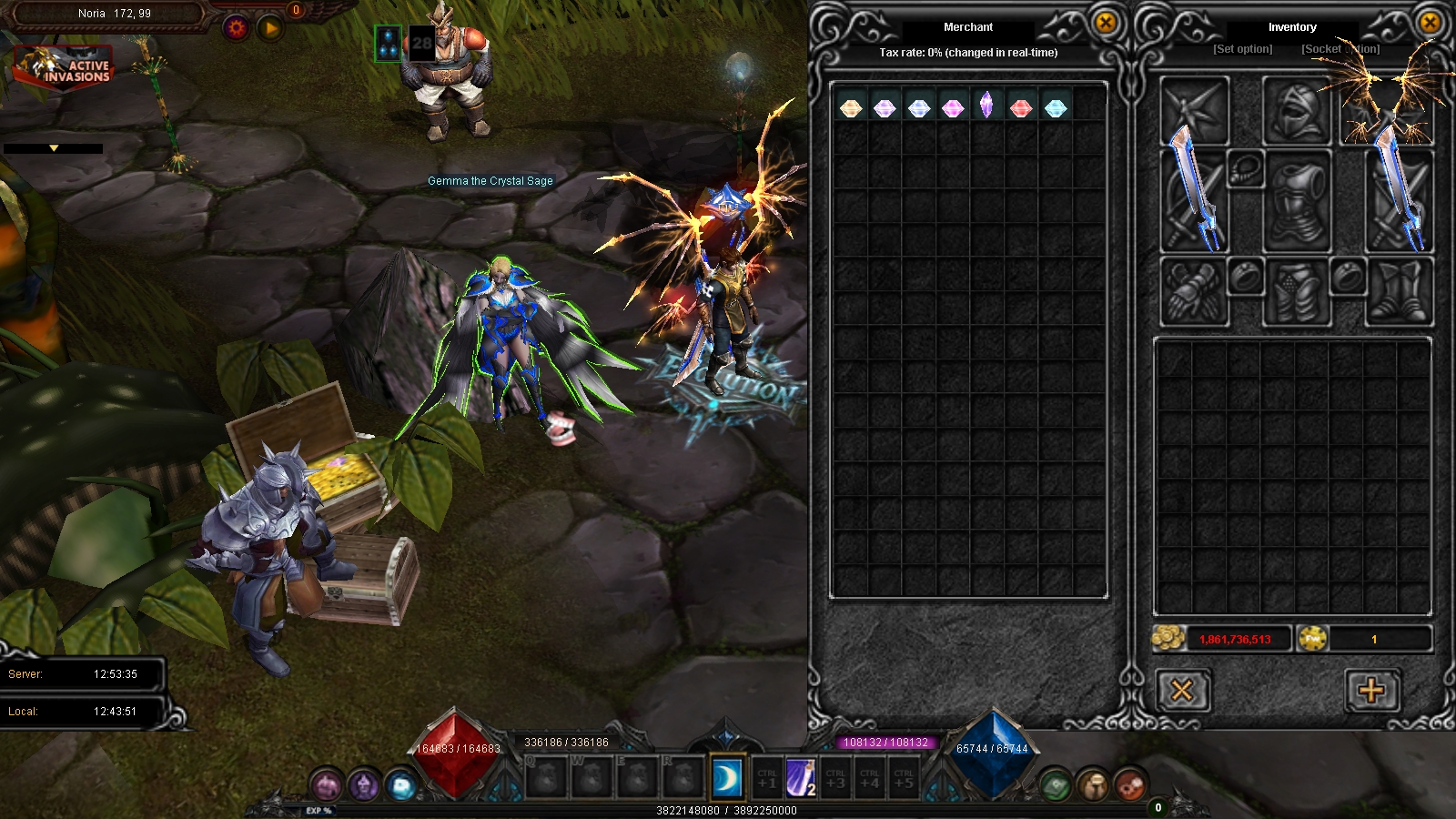
💎 Purchasing Custom Jewels
You can purchase all the required jewels by visiting the NPC
Gemma the Crystal Sage, located in
Noria [172; 98] or
Loren Market [113; 116].
⭐Jewel Catalog & Options
Below is the detailed list of available jewels, their cost, and the options each grants:
| Jewel |
Item Type |
Price |
Granted Options |
| Jewel of Onslaught |
Weapons |
1000 WCoinC |
• Excellent Damage rate +10%
• Increase Damage +2%
• Increases Attacking(Wizardry) Speed +7
|
| Jewel of Carnage |
Weapons |
1000 WCoinC |
• Excellent Damage rate +10%
• Increase Damage +level/20
• Increase Damage +2%
|
| Jewel of Resilience |
Sets / Shields |
1000 WCoinC |
• Increase Maximum Life +4%
• Damage Decrease +4%
• Reflect Damage +5%
|
| Jewel of Aegis |
Sets / Shields |
1000 WCoinC |
• Increase Maximum Life +4%
• Damage Decrease +4%
• Defense Success Rate +10%
|
| Jewel of Cleansing |
Weapons / Sets / Shields
(Evolution Items Only) |
1500 WCoinC |
• Removes all Excellent options from the item.
(Not compatible with Wings)
|
| Jewel of Seraph |
Wings Level 3 |
7500 WCoinC |
• Adds 1 random Excellent option to your Level 3 Wings (up to a maximum of 3 options).
|
Important!
Weapons, Sets, and Shields jewels work exclusively on Evolution items, covering both [ Grade I ] and [ Grade II ] lines. The Jewel of Seraph is strictly reserved for Level 3 Wings.
|
⚙️How Does the Master Mix Interface Work?
To use your Custom Jewels and perform combinations, follow these steps:
1. Make sure you have the target item and the corresponding jewel in your inventory.
2. Head to Noria [177; 110] and interact with the NPC Captain Slough to open the Master Mix - Selection panel.
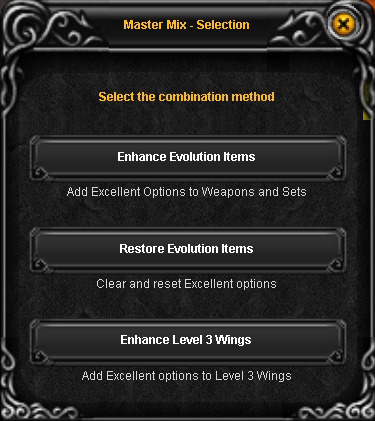
The main menu features 3 available options:
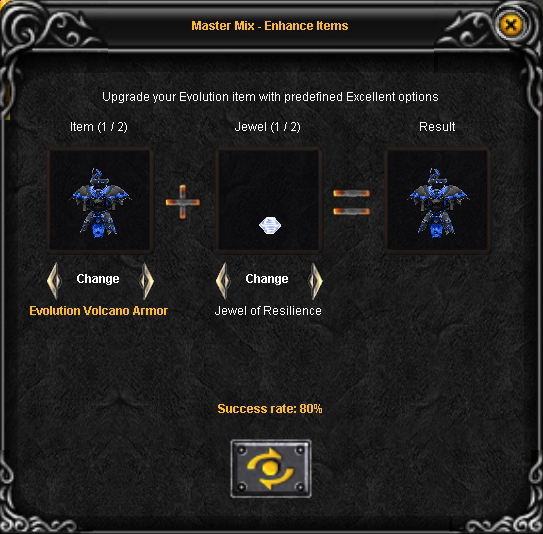
• Enhance Evolution Items: Allows you to apply Excellent option combinations to Evolution weapons, shields, and sets.
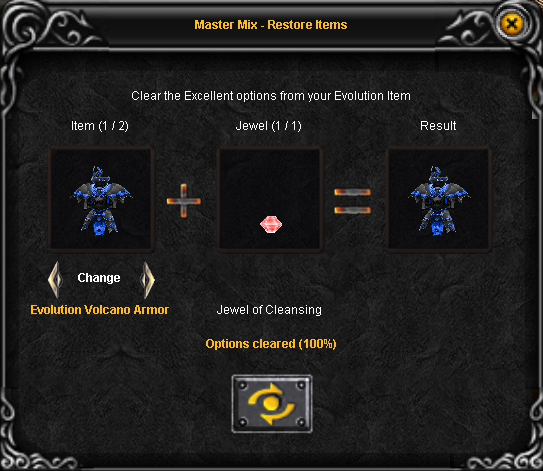
• Restore Evolution Items: Clears and resets the Excellent options on your Evolution item using a Jewel of Cleansing.
• Enhance Level 3 Wings: Adds random Excellent options to your Level 3 Wings using a Jewel of Seraph (maximum 3 options).
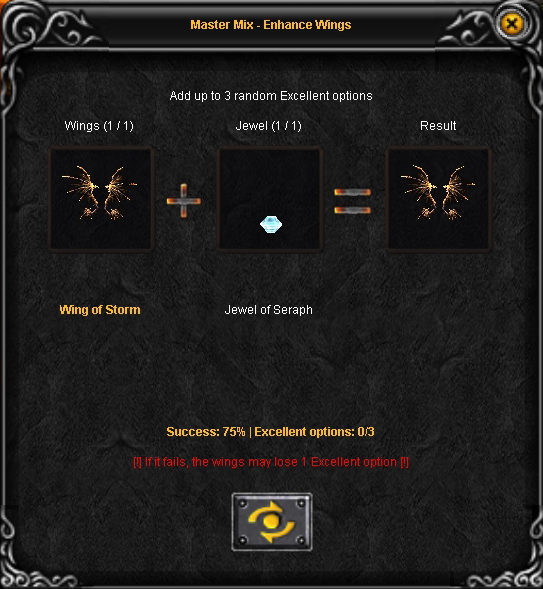
• Automatic Detection & Switching: The sub-interface automatically detects compatible items and jewels in your inventory. If you carry multiple, you can cycle through them using the < Change > buttons.
• Duplicate Protection: If the item already has the effect of the selected jewel, the system will indicate it in red text, disabling the action to prevent re-application.
• Combination: Click the central combination button to process the upgrade.
⚖️Combination Outcomes
When attempting to upgrade your items, the following scenarios can occur:
• Evolution Items (Weapons / Sets / Shields):
- SUCCESS: A Success visual prompt appears on screen and the corresponding options are applied immediately.
- FAILURE: A Failure visual prompt appears. The jewel used in the attempt is lost, but your Evolution item remains intact.
• Level 3 Wings (Jewel of Seraph):
- SUCCESS: A random Excellent option is added to the wings (repeatable up to a maximum of 3 options).
- FAILURE (No previous options): If the wings had no extra options added, the combination fails and only the Jewel of Seraph is lost (wings are preserved).
- FAILURE (With 1 or more options): If the wings already had previous options, failing can either only destroy the jewel (keeping your wings and current options), or fail and remove one Excellent option from the wings.